Home / Solutions / Alesta Mobile
Integrated with Logo, Mikro, Netsis and Zirve

Alesta Mobile: Your Power in the Field

Alesta Mobile supports your van-sales, pre-sales and mixed sales processes. It manages quotes, orders, waybills, invoices and returns with permissions, controls customer risk and plans routes for your reps. It integrates with Turkey's most common ERPs — or works standalone, with no ERP required.

  • Android handhelds & tablets
  • Windows CE/Mobile edition
  • Live map tracking
  • Per-operation permissions
alestamobile.com
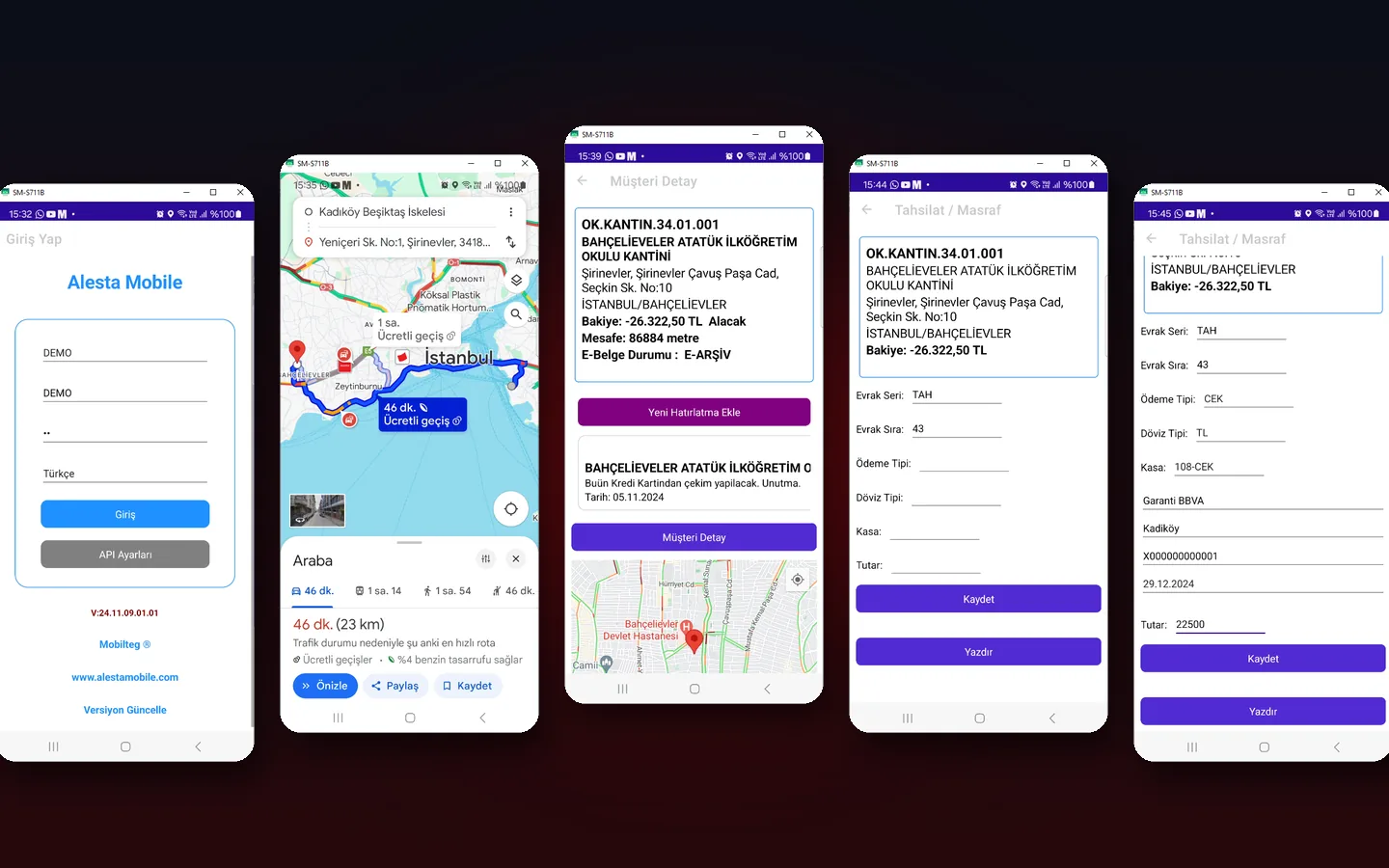
Alesta Mobile app screens
4 ERPsLogo, Mikro, Netsis, Zirve
StandaloneWorks without an ERP
GPSGeo-tagged documents
3 stepsEasy rollout
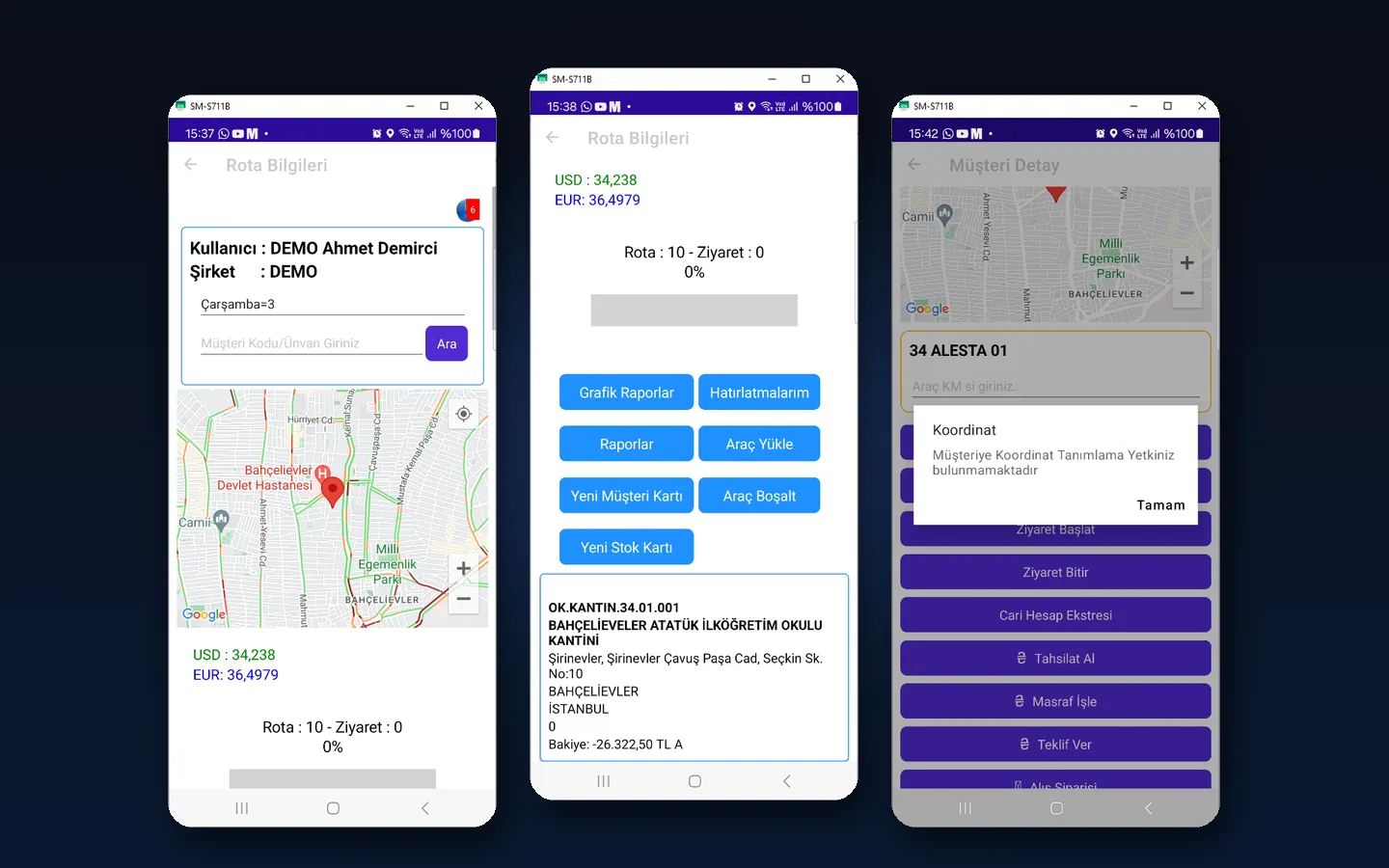
Alesta Mobile route and customer screens
Bridge Between Office and Field

Keep the Field in Your Hands

Reps spend much of their time on non-selling activities, so seeing the field live is key to staying in control. With Alesta Mobile, every field action appears instantly on a map at head office.

  • Every document is saved with coordinates; on-route and off-route activity is reported
  • Distance limit: reps cannot transact when farther from the customer than the set distance
  • Managers see all reps live on the map
  • Route simulation: replay visits and documents for a chosen date and time range
Features

Key Features

Van-Sales & Pre-Sales

Van-sales, pre-sales and mixed sales; quotes, orders, waybills, invoices and returns.

Stock Tracking

Reps are assigned the warehouses they can see; head office and van stock are tightly controlled.

Account Management

Account data is always current; customer risk is managed with real figures.

Invoicing & Collections

Sales and collections from the field appear instantly in your system for healthy cash flow.

Route Management

Plan routes on the map and track visits and documents geographically.

Full Security

Per-operation permissions: no user can do anything they are not authorised for.

New Customer Cards

Authorised reps create geo-tagged customer and address cards in the field, added to the route plan.

Campaigns & Discounts

Authorised reps can adjust campaigns and discounts within defined limits.

Document & Label Printing

Document and stock label designs are defined in the system along with printers.

Rollout

Easy Setup in 3 Steps

Installation

The app and its services are installed on your server, parameters are set and document layouts defined with printers.

User Permissions

Per-operation permissions and document layouts are defined for each user.

Training

The system administrator trains staff and sales reps to complete the rollout.

Demo

Free Demo Setup

Download the Alesta Mobile APK, complete the warehouse setup and select the DEMO company. Release files are hosted on our own servers for instant updates.

UserPassword
CompanyDEMO
DEMO00 (zero zero)
DEMO200 (zero zero)
PlatformAndroid handhelds & tablets
Related Products

Solutions That Complete the Ecosystem

Take Control of the Field

Call us about Alesta Mobile setup and ERP integration: +90 850 885 00 34